Beauty & wellness · Thailand
A salon's whole day, in one system
An all-in-one POS, calendar, online booking and CRM platform for beauty, spa and salon businesses.
- Client
- GoWabi POS
- Sector
- Beauty & wellness · Thailand
- Services
- UX, UI, Design System
- Live
- pos.gowabi.com ↗
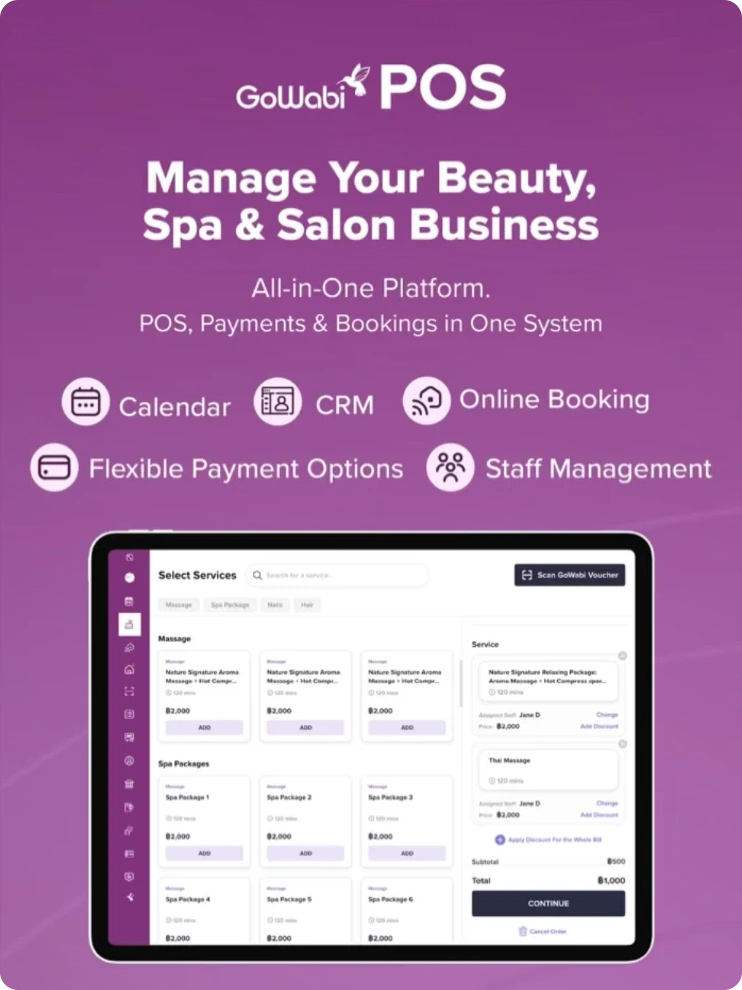
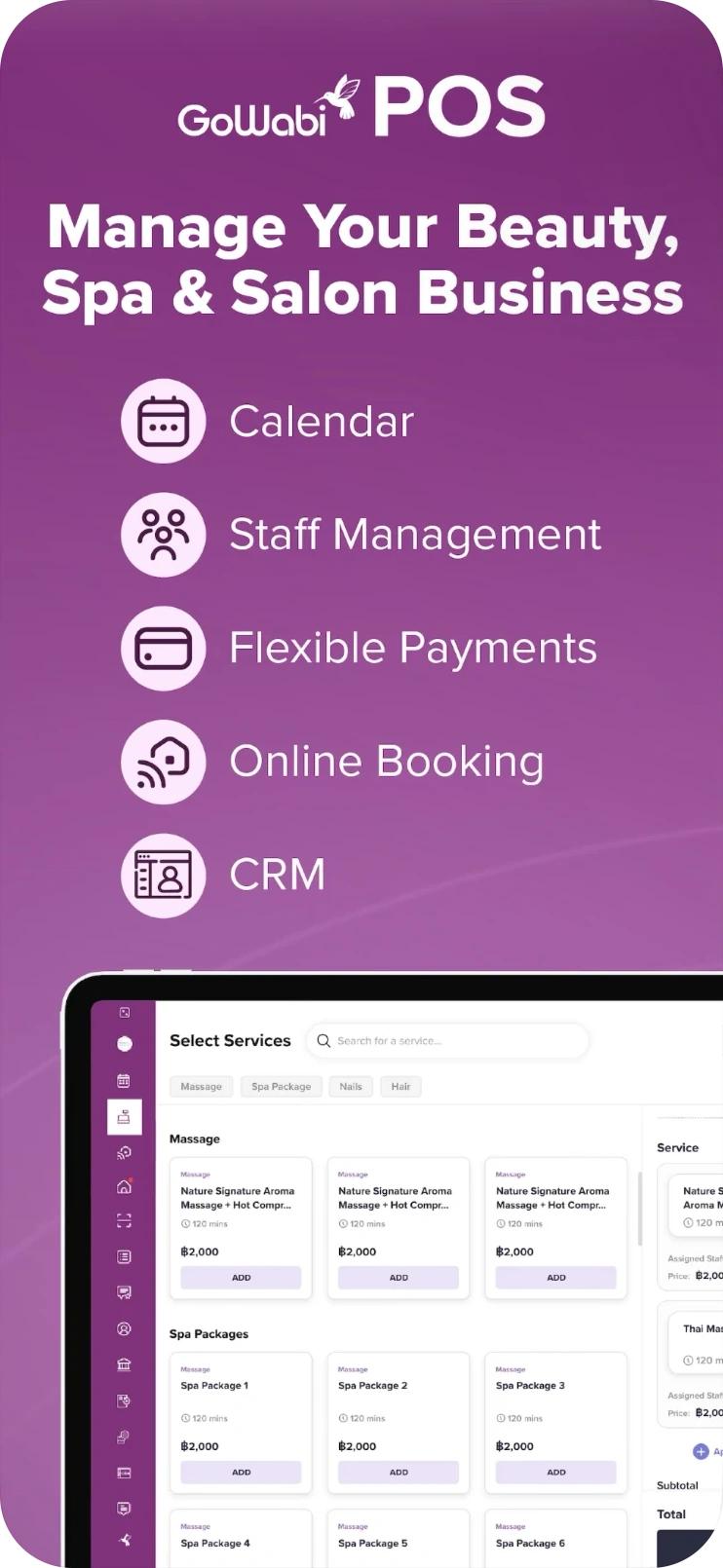
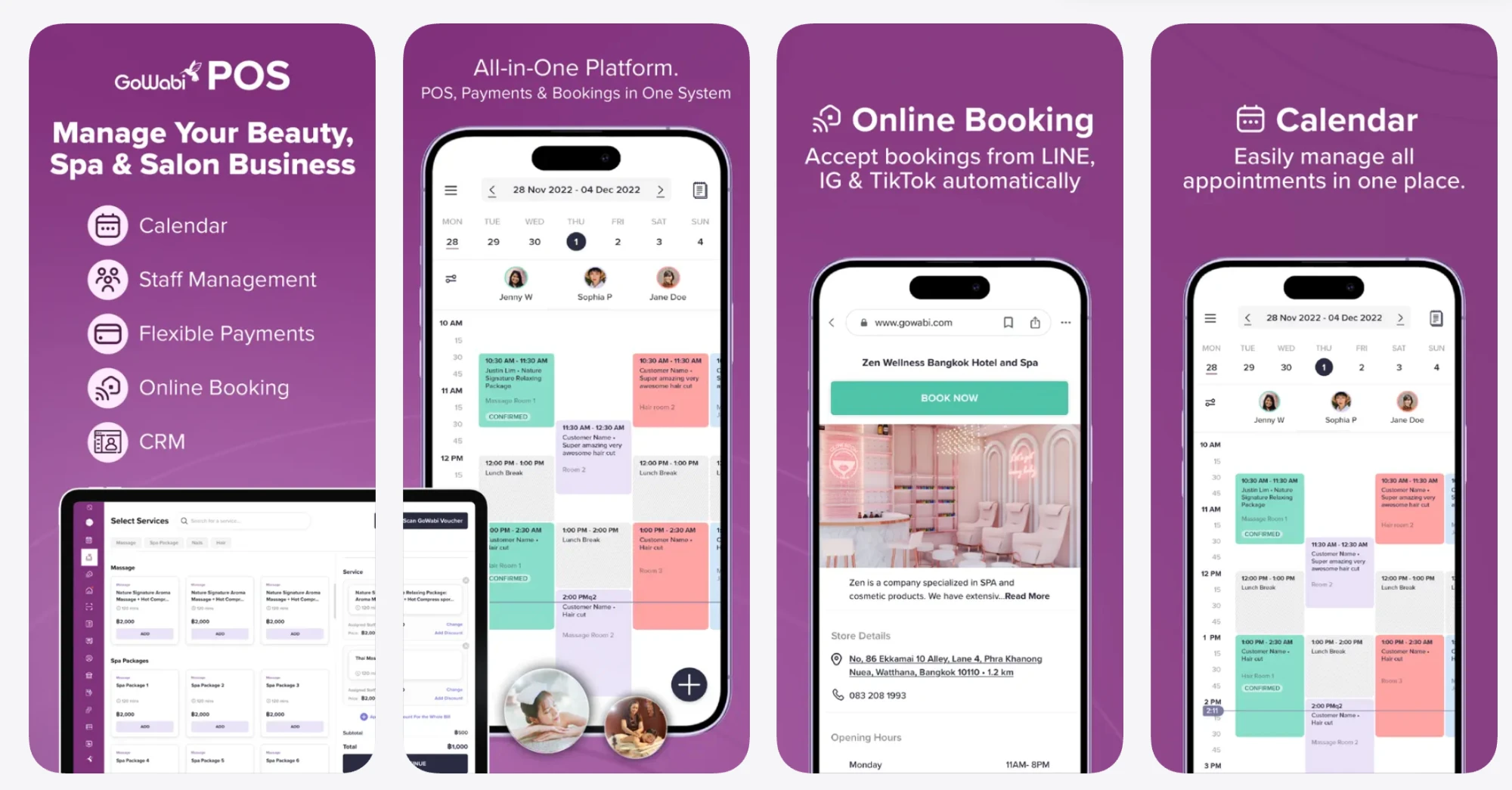
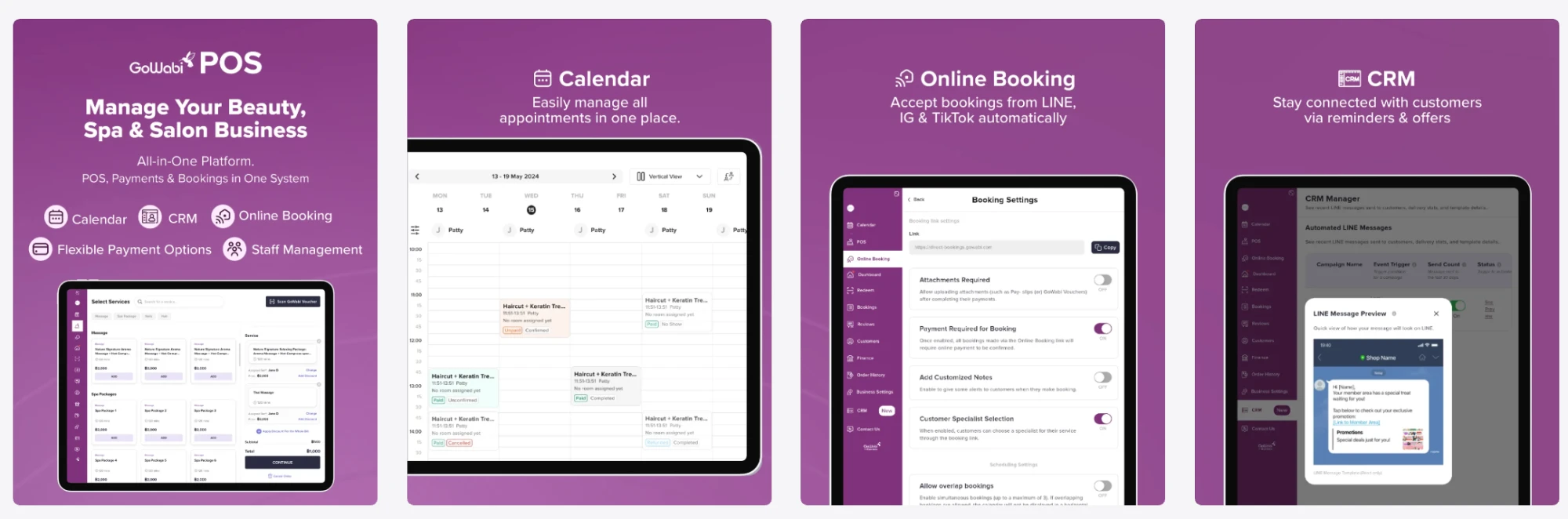
GoWabi POS brings the point of sale, payments, bookings and staff management of a beauty, spa or salon business into one system.
The calendar keeps every appointment in one place. Online booking takes reservations from LINE, Instagram and TikTok automatically. The CRM keeps customers connected with reminders and offers.
It is built for tablet and phone, for owners and front-desk teams who are on their feet all day.
App only. Built for tablet and phone.
Inside the product
What GoWabi POS does
01
The point of sale
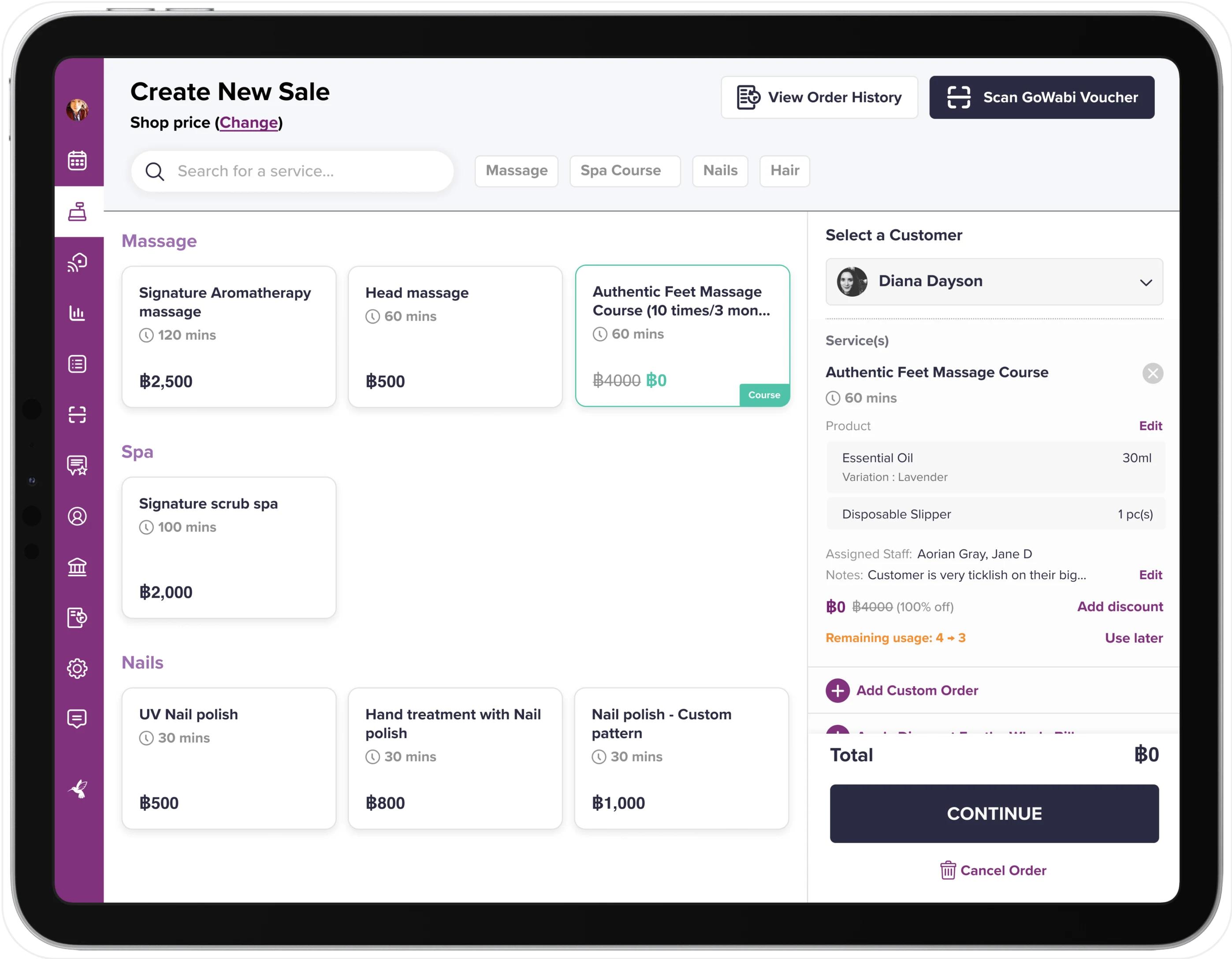
The home base of the day. Services and spa packages are browsed by category, staff are assigned to each line, discounts are applied in place and the total is always visible beside the cart.
- Services and packages grouped by category
- Assigned staff, discounts, subtotal and total in one cart
- Cash, PromptPay, bank transfer, credit card and GoWabi Pay
02
A calendar built for the front desk
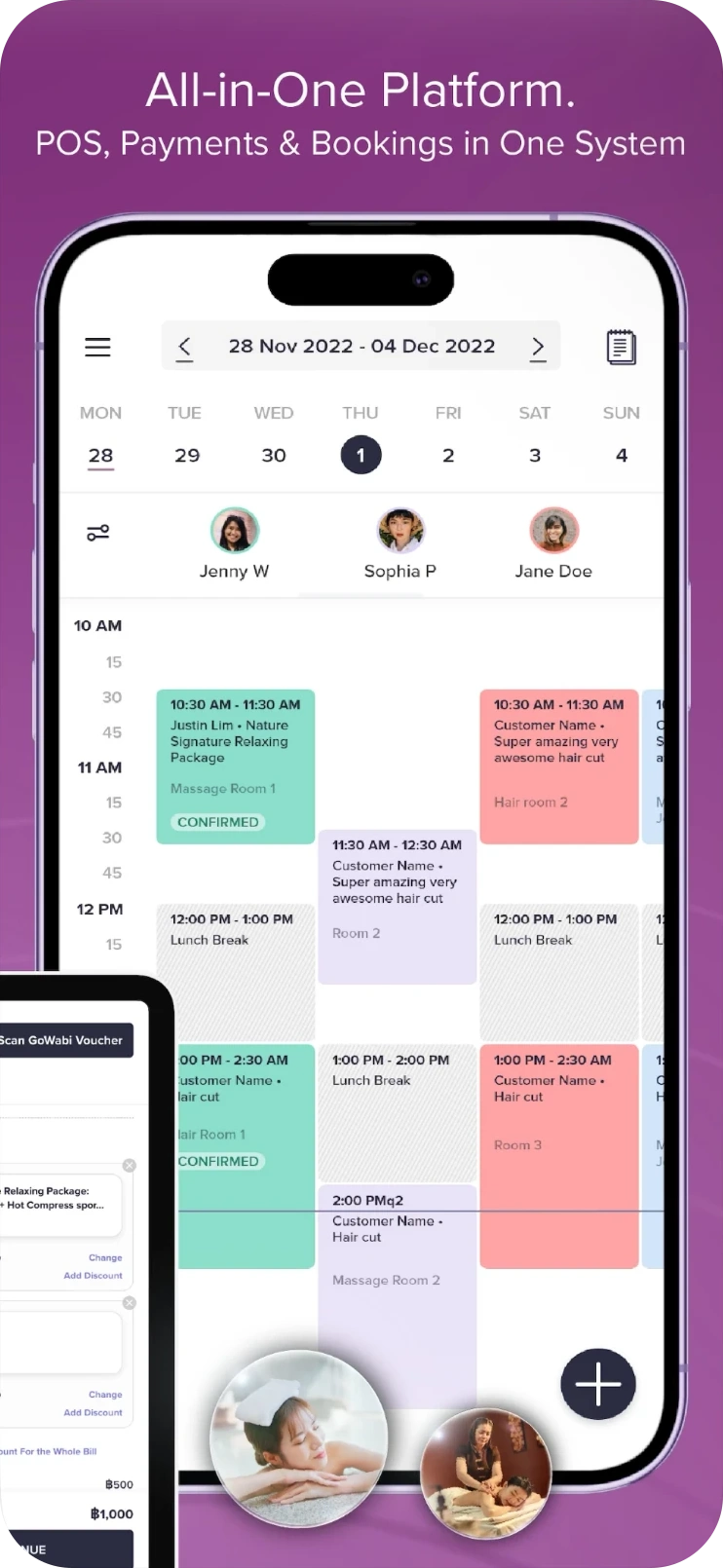
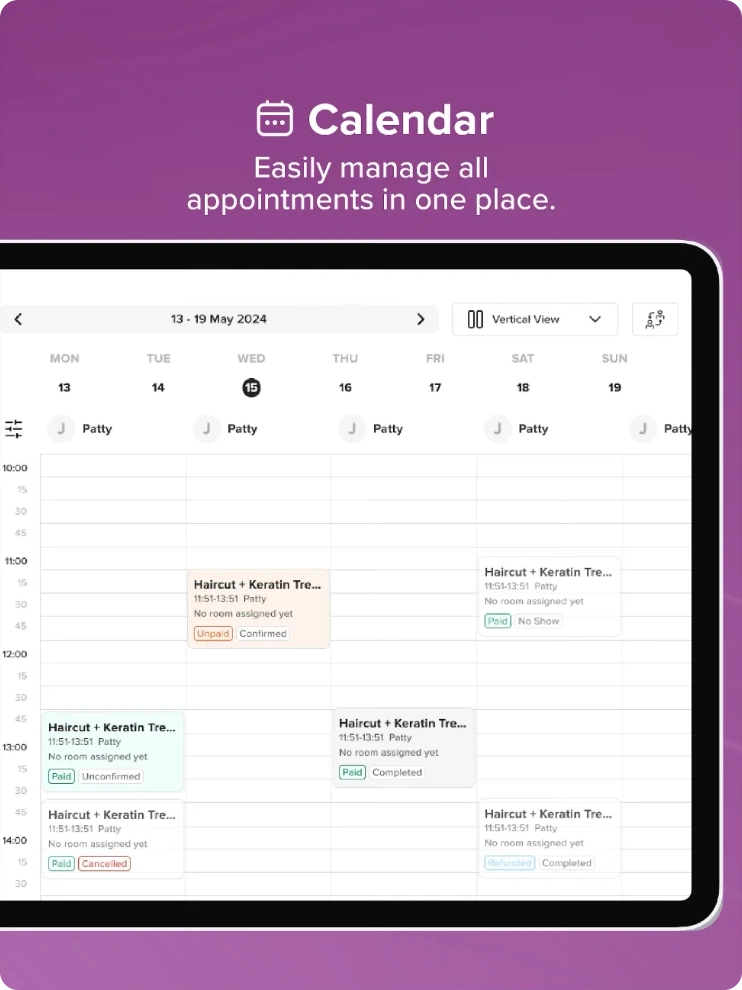
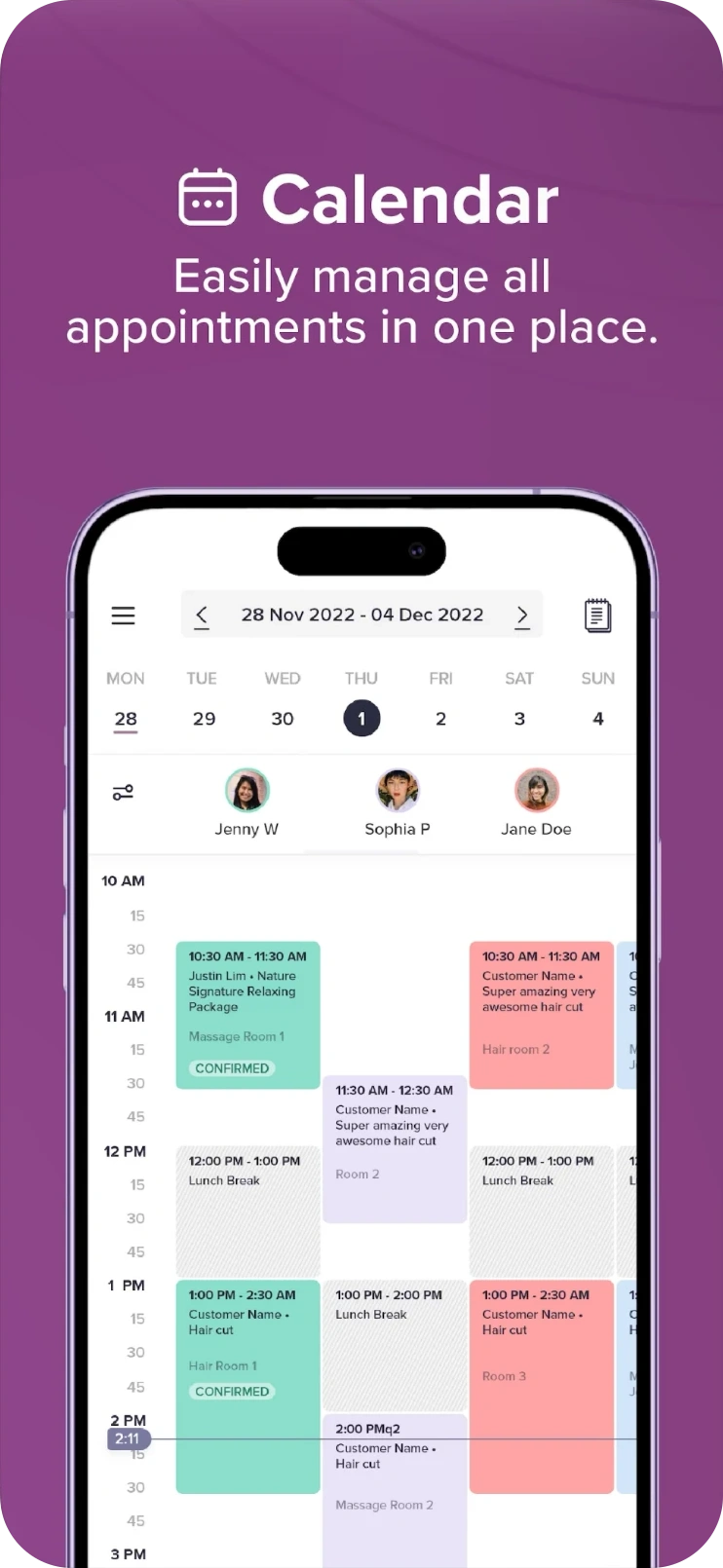
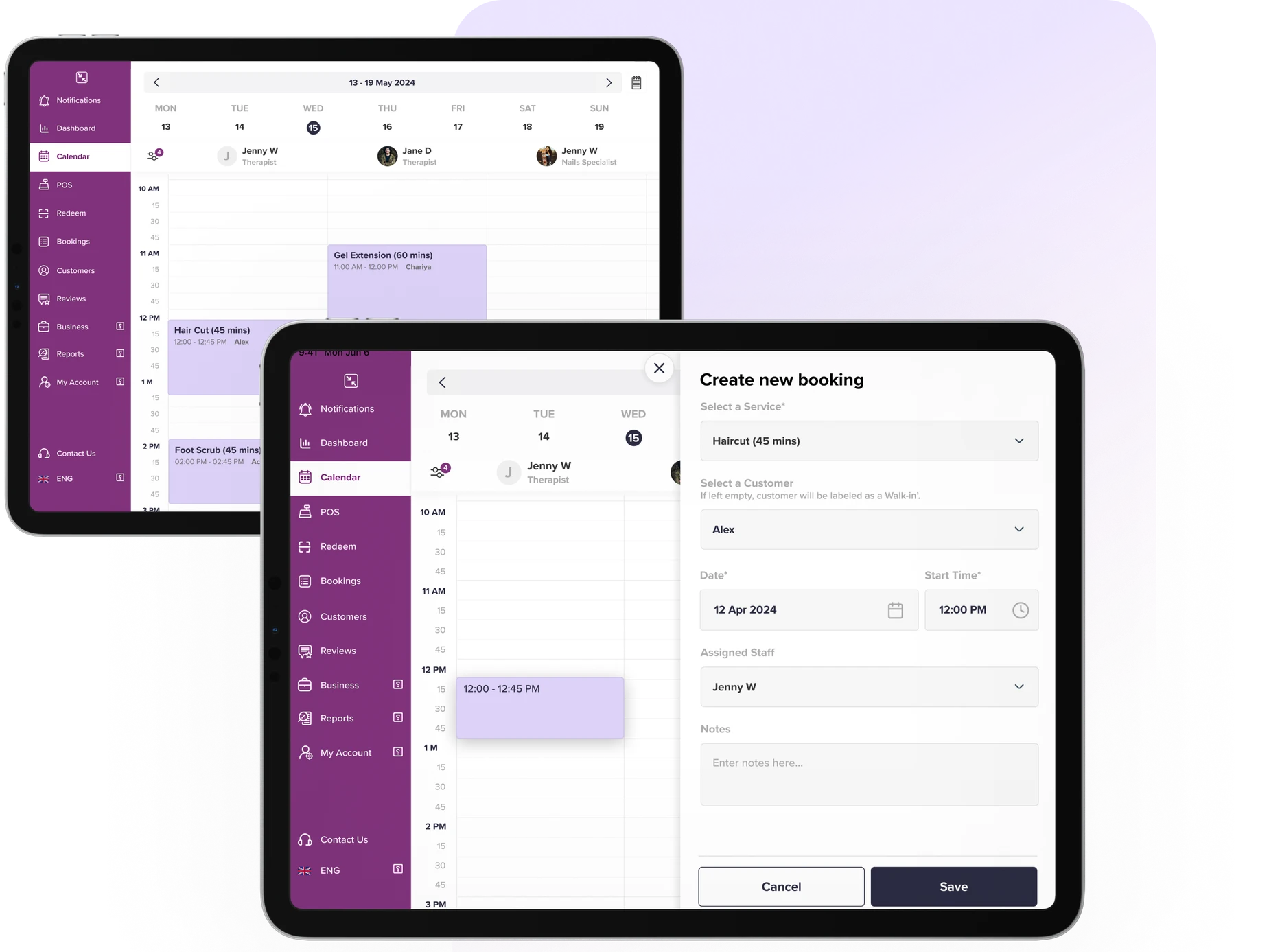
Every appointment in one place, by day or week and by staff member. Cards are colour-coded and labelled by state, with rooms, breaks and a live time marker running through the day.
- Vertical and horizontal views, filtered by staff
- Payment and booking status on every appointment
- Rooms and lunch breaks shown in line with bookings
03
Online booking that runs itself
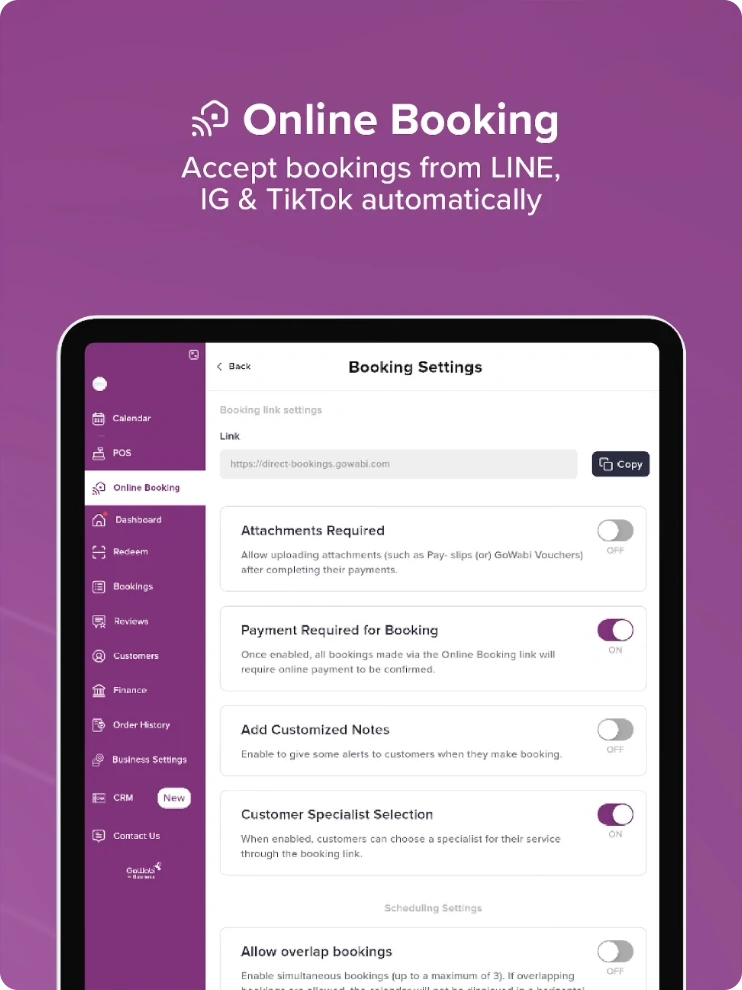
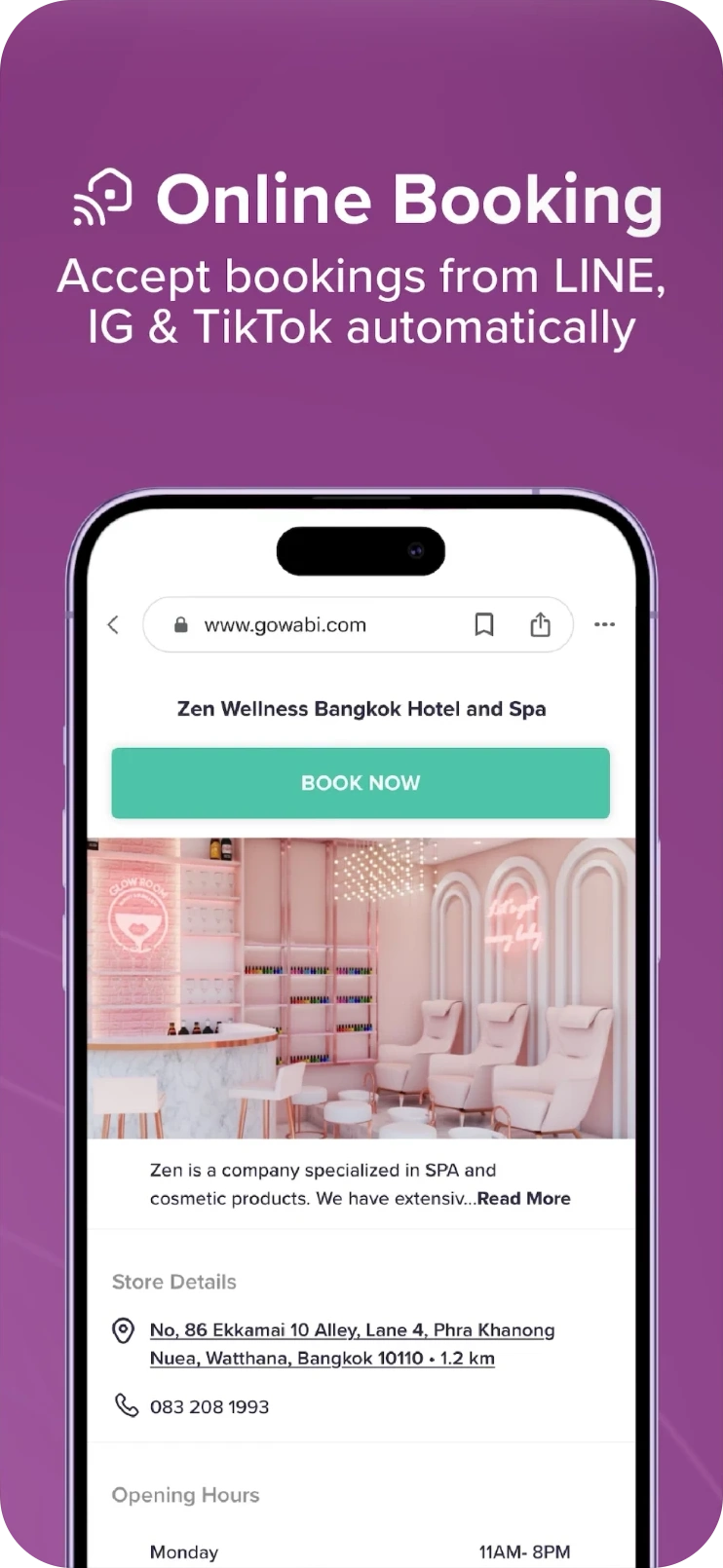
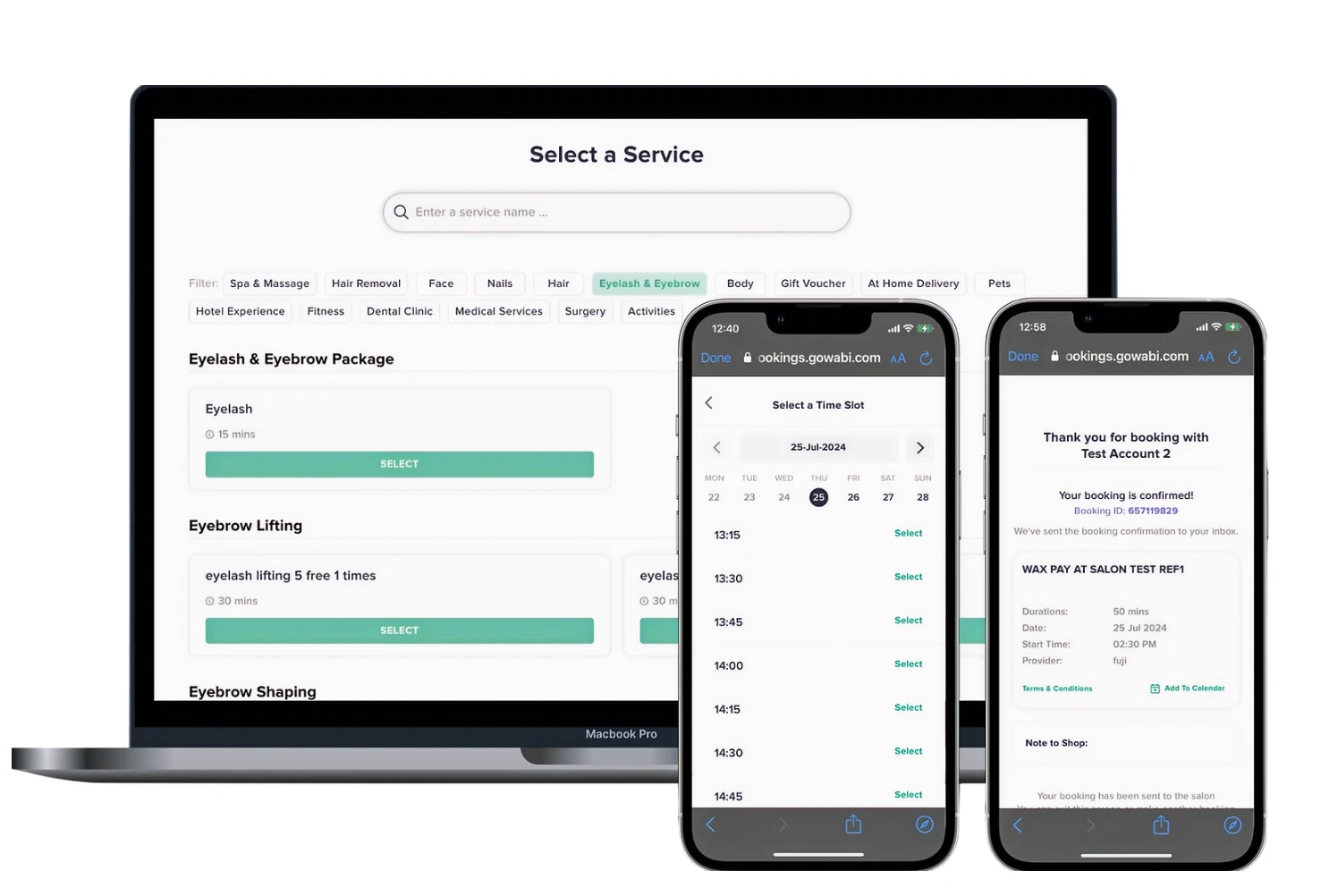
Each business gets a booking link to share on LINE, Instagram and TikTok. Settings set the rules: require payment, attachments such as pay-slips or vouchers, custom notes, specialist selection and overlapping bookings. Customers get a clear page with store details, opening hours and a Book now button.
- One link for LINE, Instagram and TikTok
- Rules for payment, notes, specialists and overlaps
- A simple customer-facing booking page on phone
04
Staff and commissions
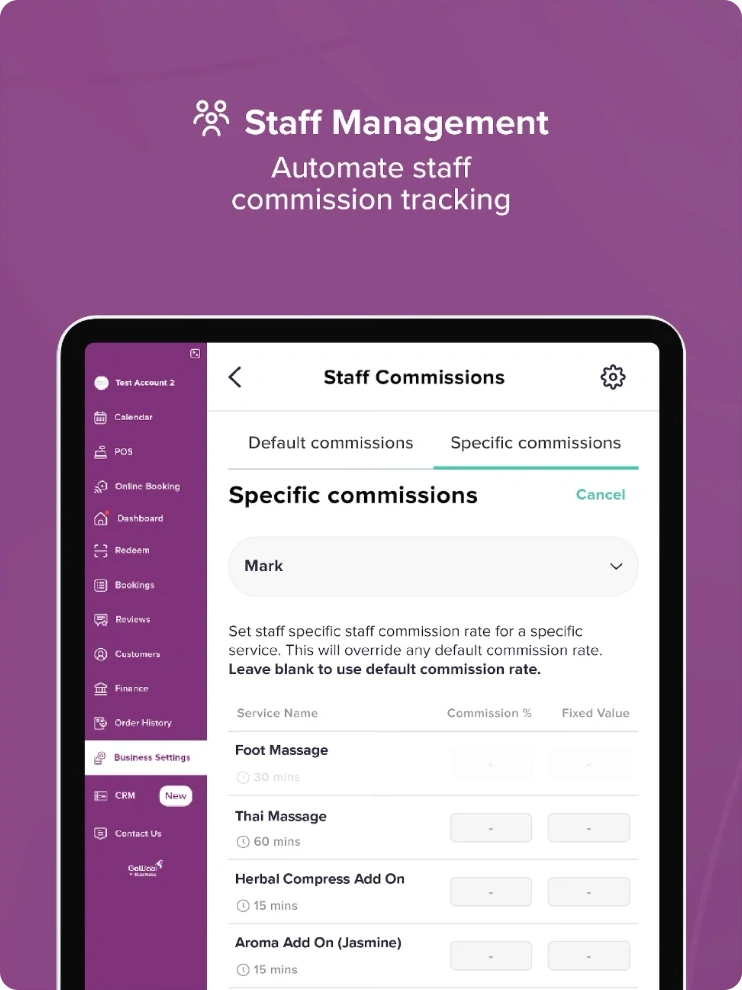
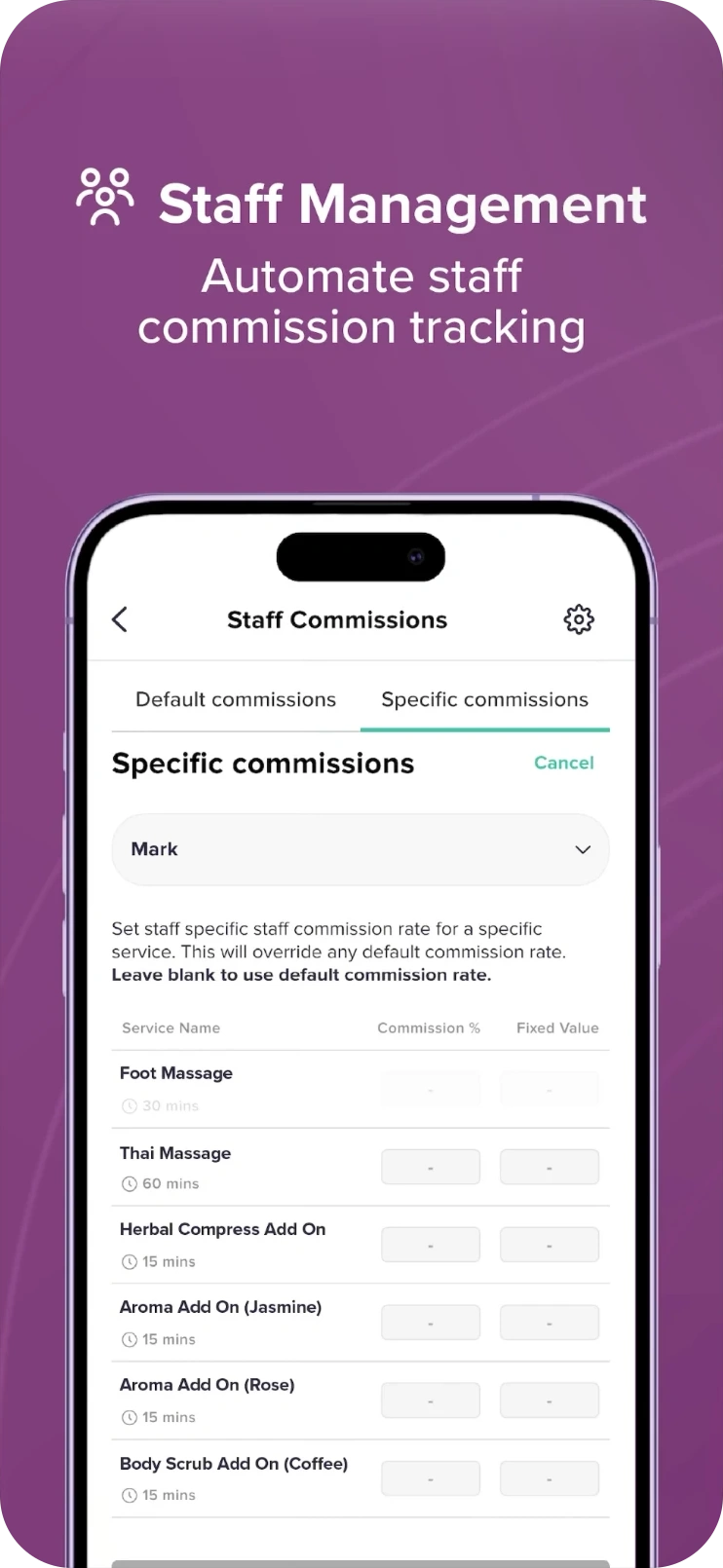
Default commission rates for the whole team, with overrides per staff member and per service. Each can be a percentage or a fixed value, and leaving a field blank falls back to the default.
- Default and specific commission tabs
- Override a rate for one person and one service
- Commission totals appear on the dashboard
05
CRM on LINE
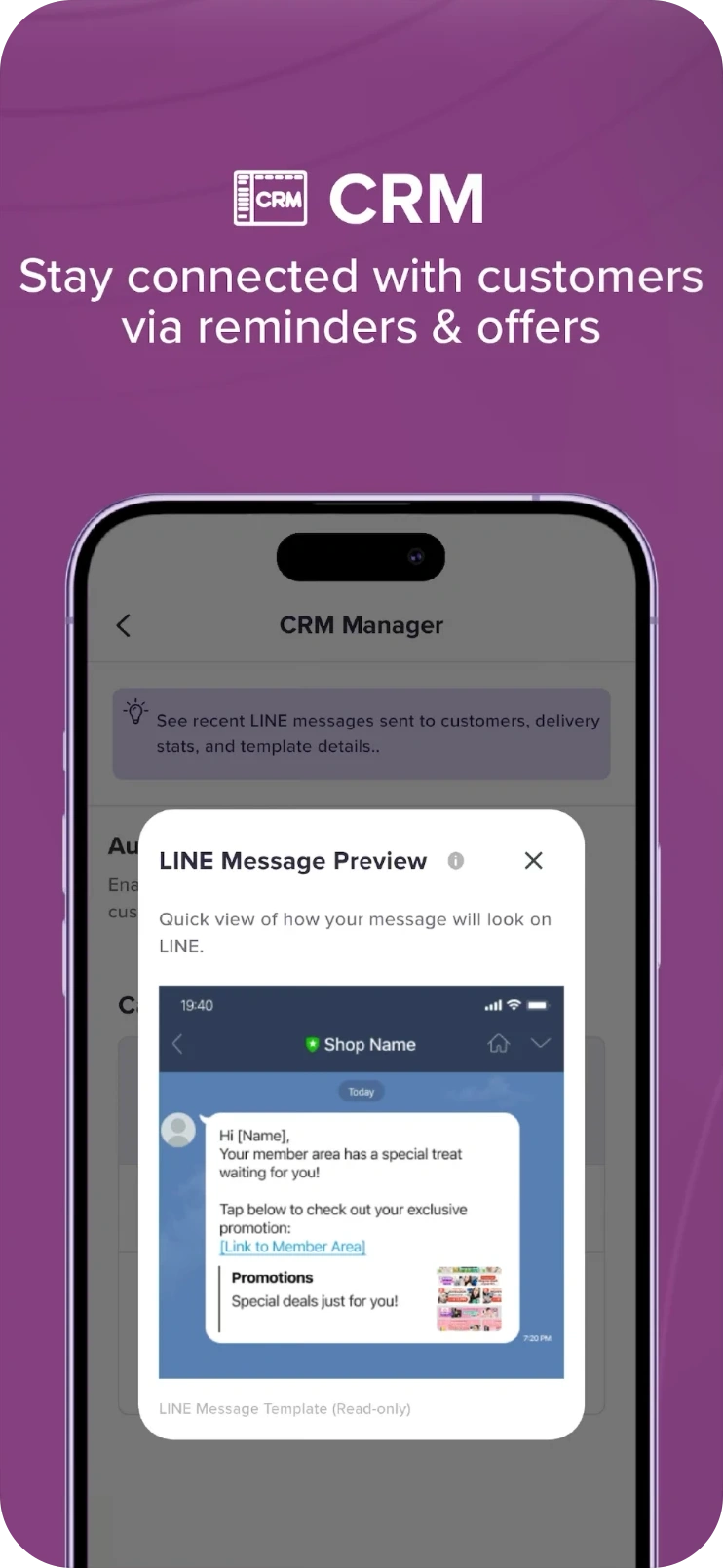
Reminders and offers reach customers where they already chat. The CRM manager shows recent LINE messages, delivery stats and template details, and a preview shows exactly how a message will look before it goes out.
- Recent messages and delivery stats
- Message templates with a read-only preview
- Designed around LINE messaging
06
A dashboard for the owner
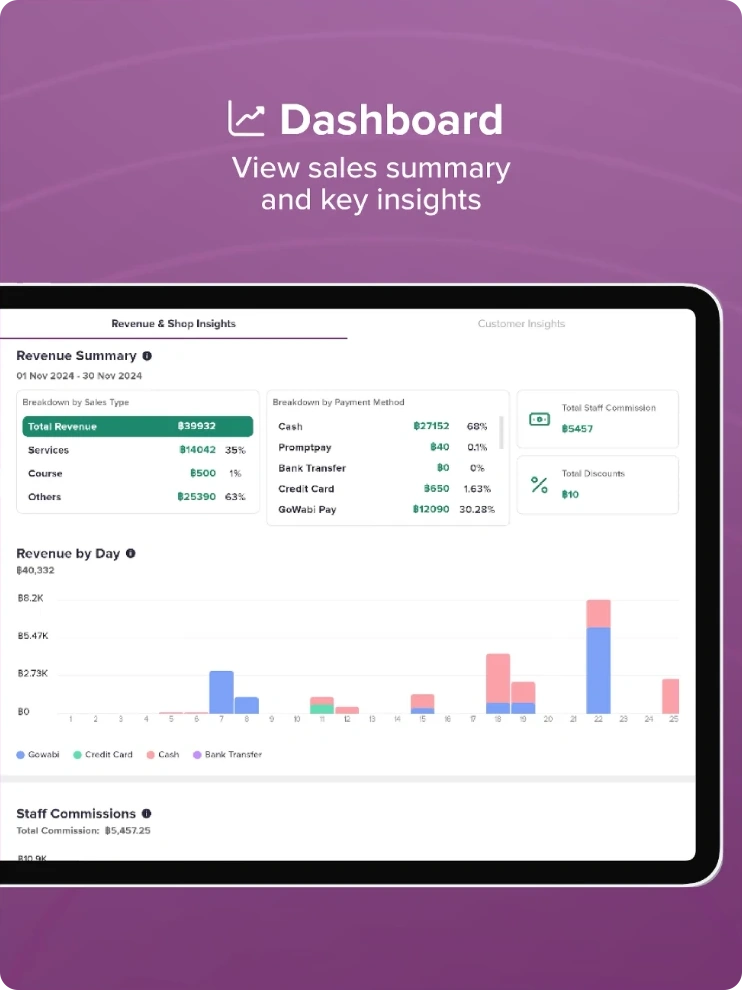
Revenue for the period, broken down by sales type and by payment method, with staff commission and discounts alongside. Revenue by day is charted below, then staff commissions in detail.
- Sales split into services, courses and other
- Payment methods compared at a glance
- Revenue by day as a stacked chart
The work
What the work covered
UX
Mapped the working day of a salon owner and a front-desk team, then designed the flows around it: ringing up a sale, creating and moving appointments, setting up online booking, assigning commissions and messaging customers.
UI
Designed the tablet and phone interfaces: the calendar with colour-coded appointment states, the service catalogue and cart, the settings screens and the dashboard charts and tables.
Design System
Built the component library behind it, from navigation and cards to status chips, form fields, toggles, tables and charts, so tablet and phone screens, and every new feature, stay consistent.
Screens
Next project
The Padel SocietyView case study